Pytest For UI Testing
By ski11up.com
Pytest is most commonly used for API testing, here we will use it for doing UI testing. pytest has various advantages one of them is executing tests without any configuration. Let’s check the same and we will see how simple it is.
In case if you recently started on python, you may want to check the previous blogs on VSCode for Python for installing and setting up VSCode for Python and creating your first python project.
Install Pytest
$ pip3 install pytestTo check if pytest is installed, execute below command in terminal.
$ pytest -h
usage: pytest [options] [file_or_dir] [file_or_dir] [...]

positional arguments:
  file_or_dir
  .....
The above output shows that the pytest is installed correctly.
For this project we need to install selenium as well.
$ pip3 install seleniumIn case you have both Python2 and Python3 version installed on your PC use pip3 for referring to the Python3 version
Project Structure
Below is the project directory structure.
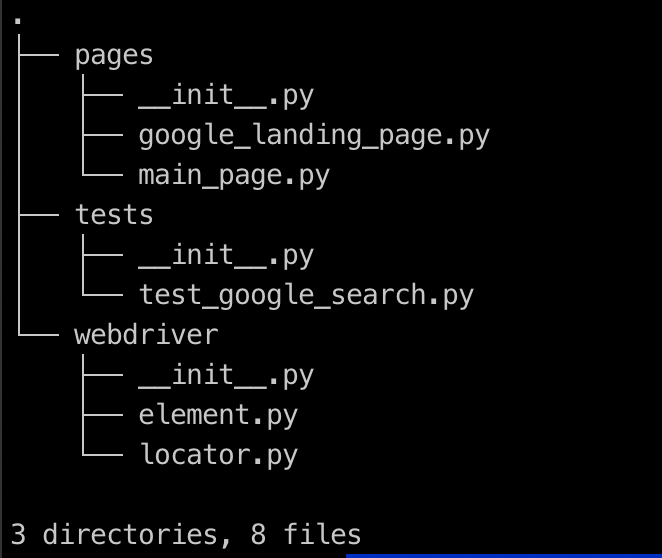
Tests are residing inside the tests directory.
 1
 2
 3
 4
 5
 6
 7
 8
 9
10
11
12
from selenium import webdriver
from pages.google_landing_page import GoogleLandingPage


def test_google_search():
    browser = webdriver.Chrome()
    glp = GoogleLandingPage(driver=browser)

    glp.go()
    glp.get_search_box().text_input('covid19')
    glp.get_search_button().click()
    browser.close()
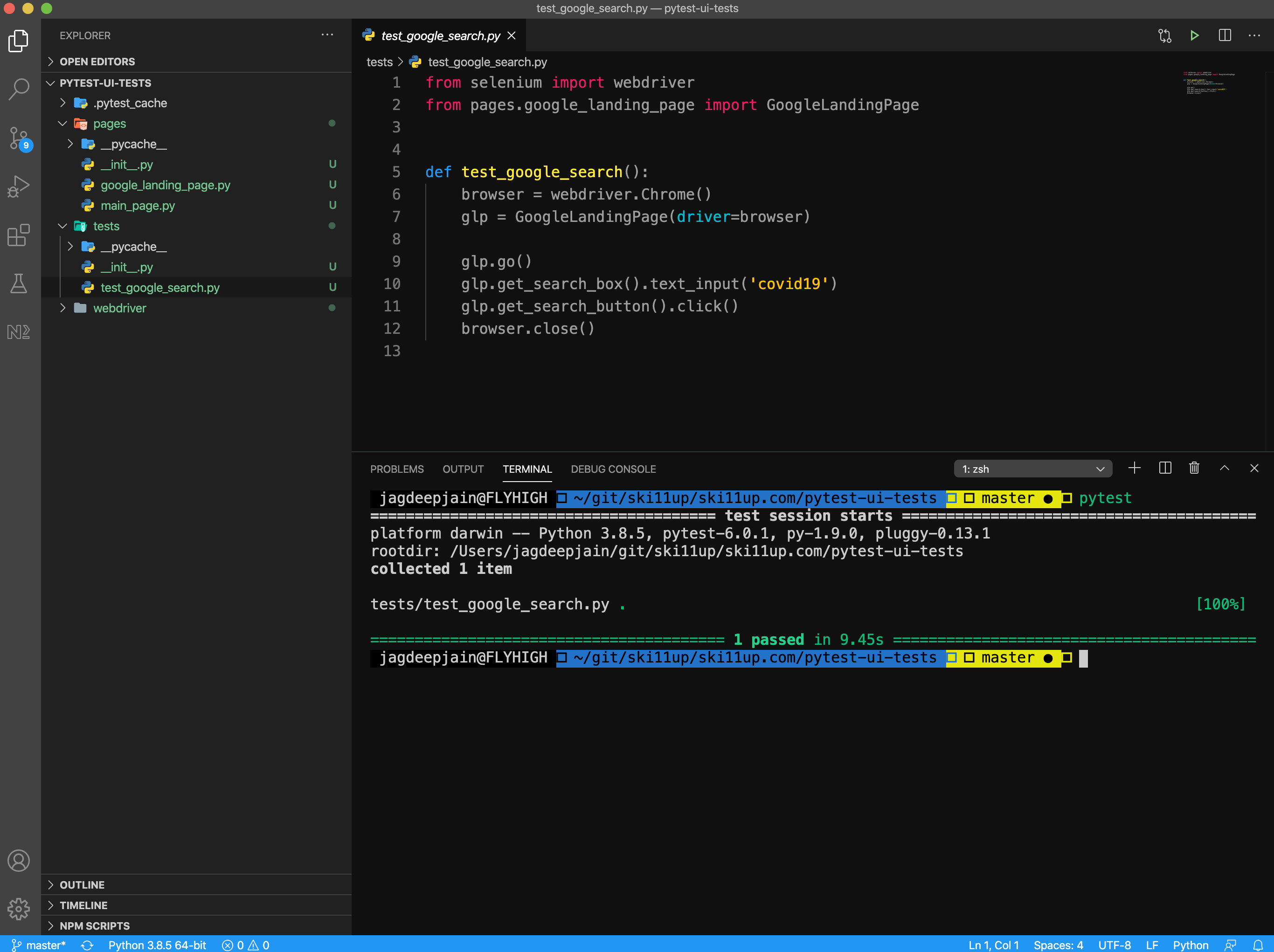
Look at the above code, it does not have any reference of pytest but this will be automatically picked up by pytest. The only requirement it has that the test script filename should start with test_ and the test method name should also start with test_.
Execute Pytest
Open a terminal window inside VSCode → Terminal → New Terminal
| Always good to use the inbuild Editor Terminal for productivity reasons |
Just enter pytest and you are done, the command will do the rest of the work of finding the test script and execute the test method.
Once you enter pytest the script will open the chrome browser and enter covid19 and click on the search button and show the search result and close the browser.
Source Code
You can either git fork, git clone or download this repository pytest-ui-tests.