Spring Boot Hello World
By ski11up.com
Spring Boot is the world’s most popular Java framework which had made Java developer’s life easier, as a Java developer you can write a web service in few lines of codes.
Project Setup
Start Spring IO provides an initial configuration option for setting up spring-boot project. Check the below screenshot for the details which is required to be filled for our first web service.
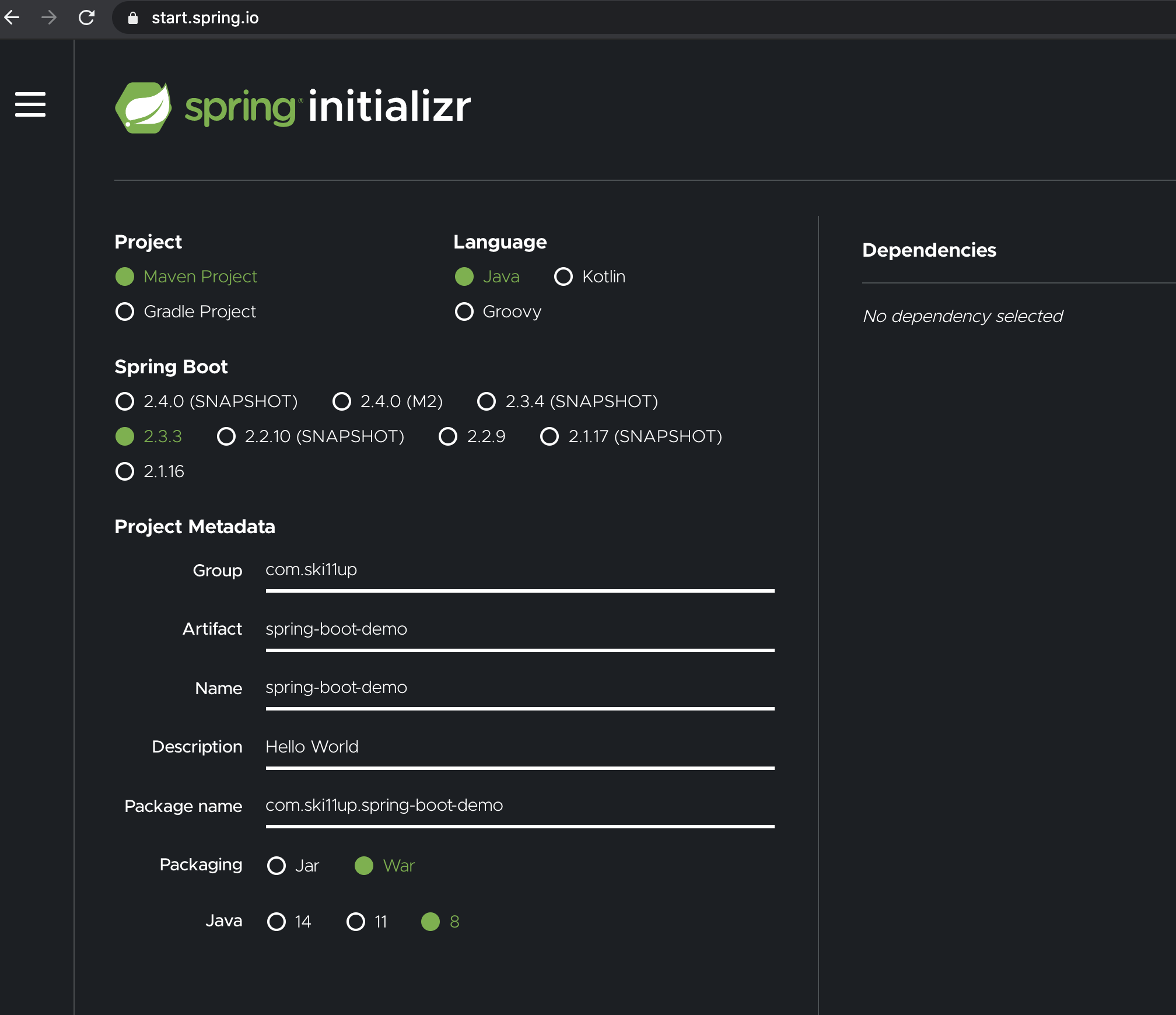
Once configured click on the Generate button in the form, this will download the project in a zip file, unzip and put it in the workspace (or anywhere you are storing your code). Import / Open this folder in your preferred IDE, I am using Intellij, if you are using Eclipse you need to import as maven project.
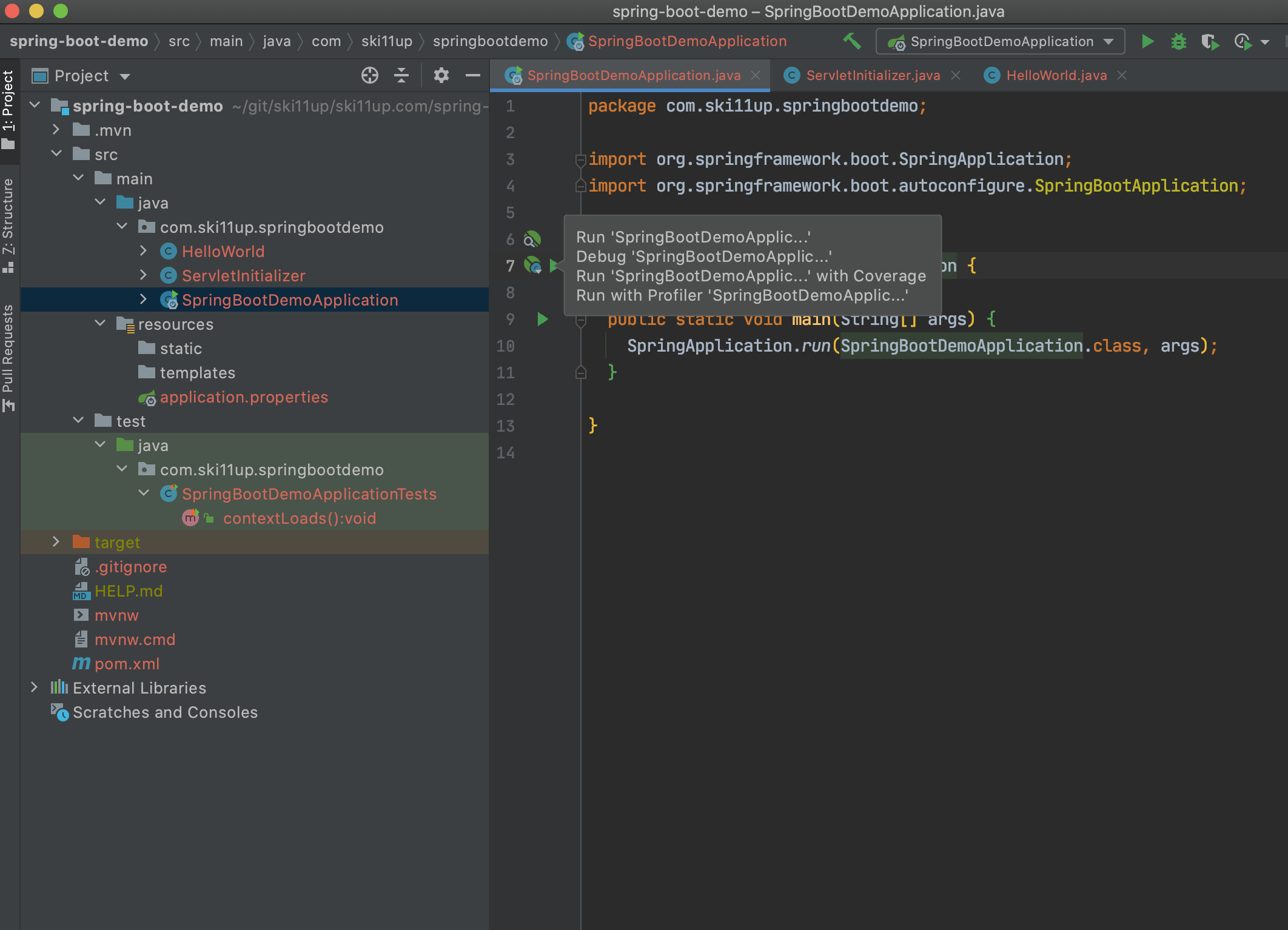
This is how it will look like once the project is configured in the IDE.
Service Class
We need to write a Java class to start our first web service.
Let’s create a Java class as HelloWorld or anything you want to name. Add below lines of code to this class.
 1
 2
 3
 4
 5
 6
 7
 8
 9
10
11
12
13
14
15
package com.ski11up.springbootdemo;

import org.springframework.stereotype.Controller;
import org.springframework.web.bind.annotation.RequestMapping;
import org.springframework.web.bind.annotation.ResponseBody;

@Controller (1)
public class HelloWorld {

  @RequestMapping("/hello-world") (2)
  @ResponseBody (3)
  public String helloWorld() {
    return "Hello World!";
  }
}
| 1 | this class will be picked up by spring framework |
| 2 | map the /hello-world with the helloWorld() that is when you hit the URL /hello-world this method will execute |
| 3 | this will tell the browser to show the response from the service |
Starting Server
Open the SpringBootDemoApplication.java and move the mouse pointer to the line where you have your main() method. It will look like as below.
| Intellij requires to restart the spring boot server each time you change anything in the source code |
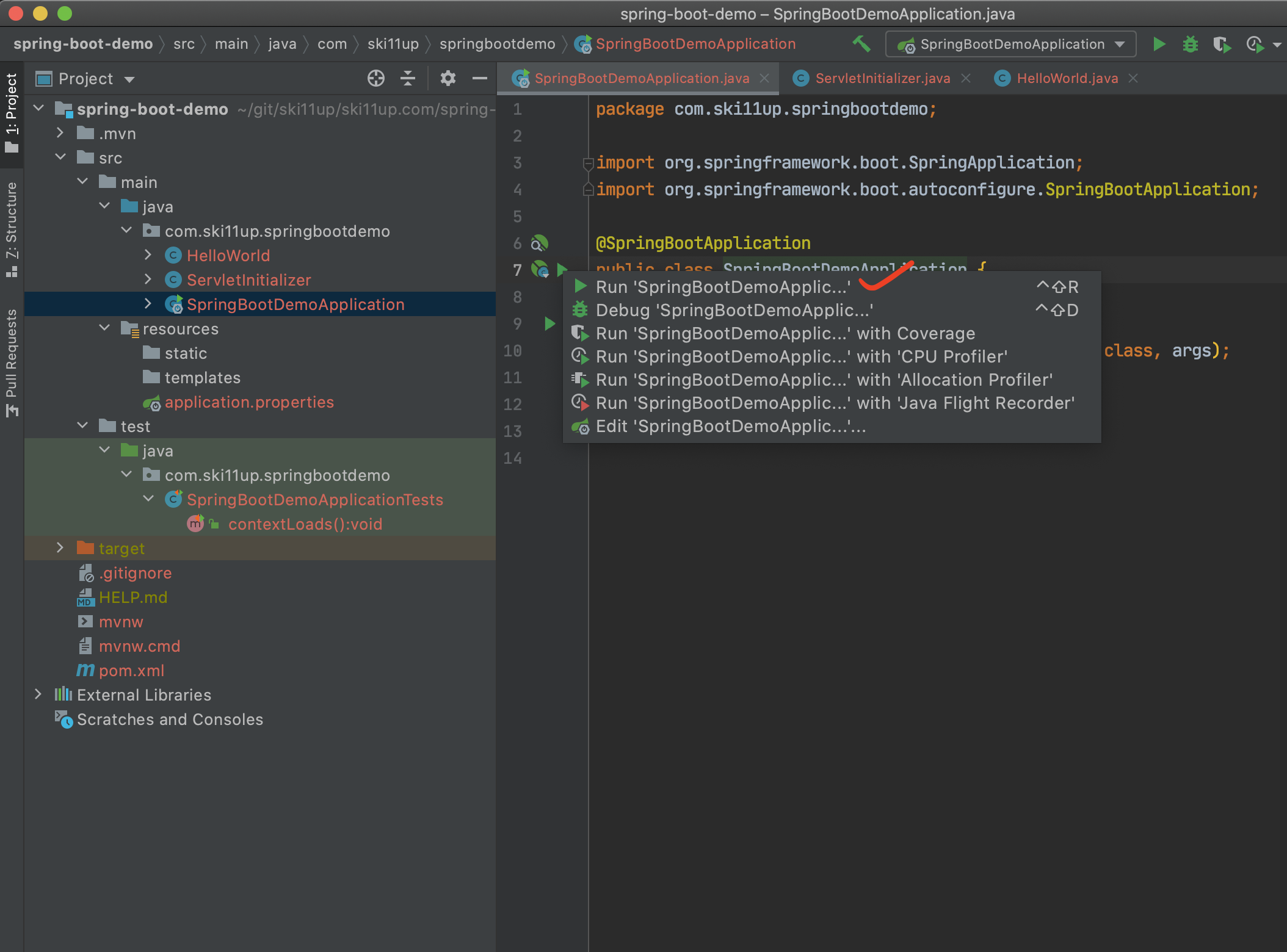
As marked in the image clicked on the first option, this will start the inbuilt spring boot server.
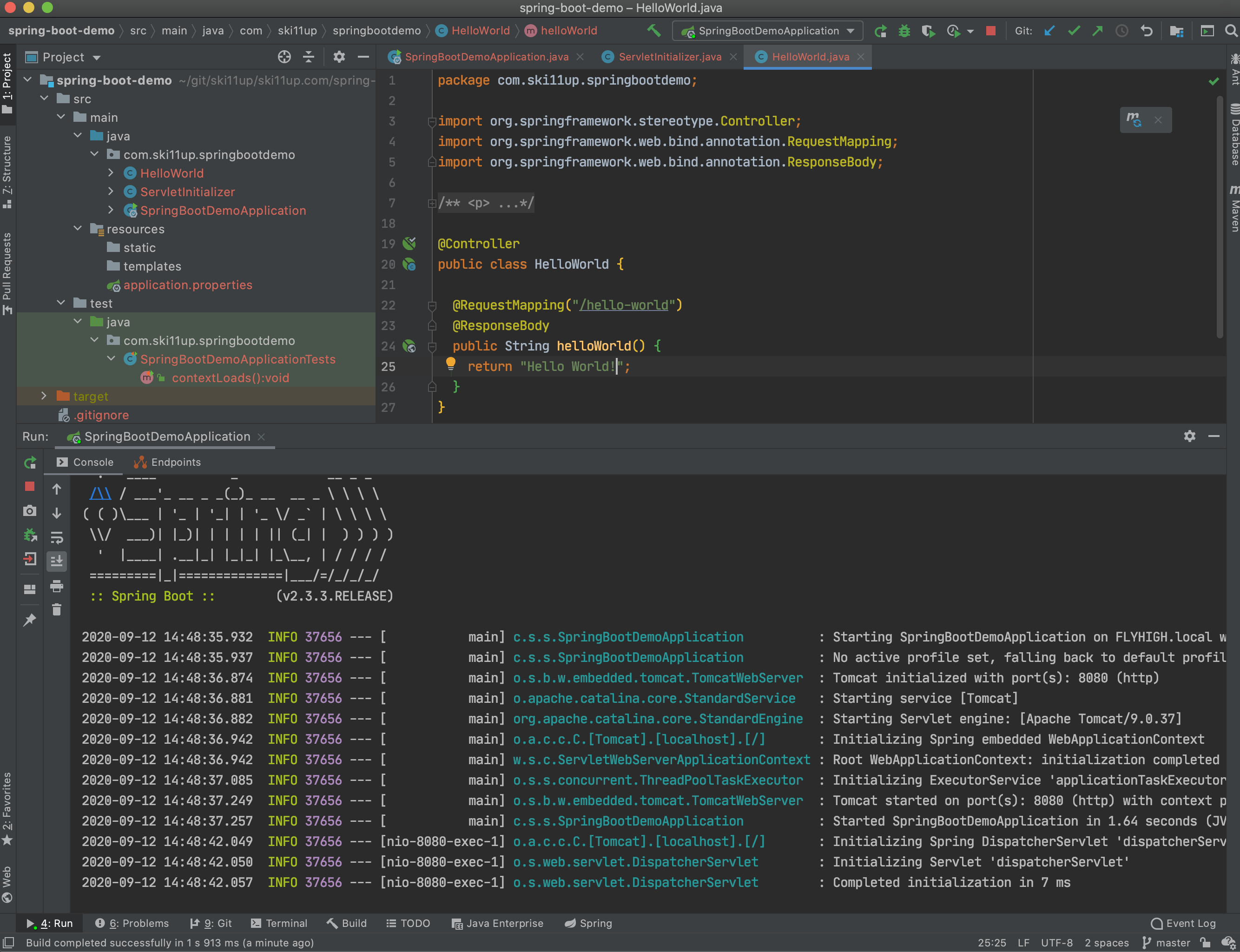
Launch The Service
Open a browser and enter https://localhost:8080/hello-world this is your first web service, up and running.
Source Code
You can either git fork, git clone or download this repository spring-boot-demo.